Blog
Best Zapier Workflows to Practice for Sales, Support, and Ops
The best Zapier workflows to practice for sales, support, and operations — with real business context, the right learning order, and patterns that build actual automation skills.
Quick answer
The best Zapier workflows for beginners are: new form → CRM lead (sales), new form → support ticket (support), and new request → task creation (ops). These three teach intake, field mapping, multi-step logic, and notifications — the core patterns behind almost every business automation.
Why These Workflows Are the Best for Practice
Good beginner workflows do three things: they are easy to understand, they solve a real business problem, and they teach reusable automation logic.
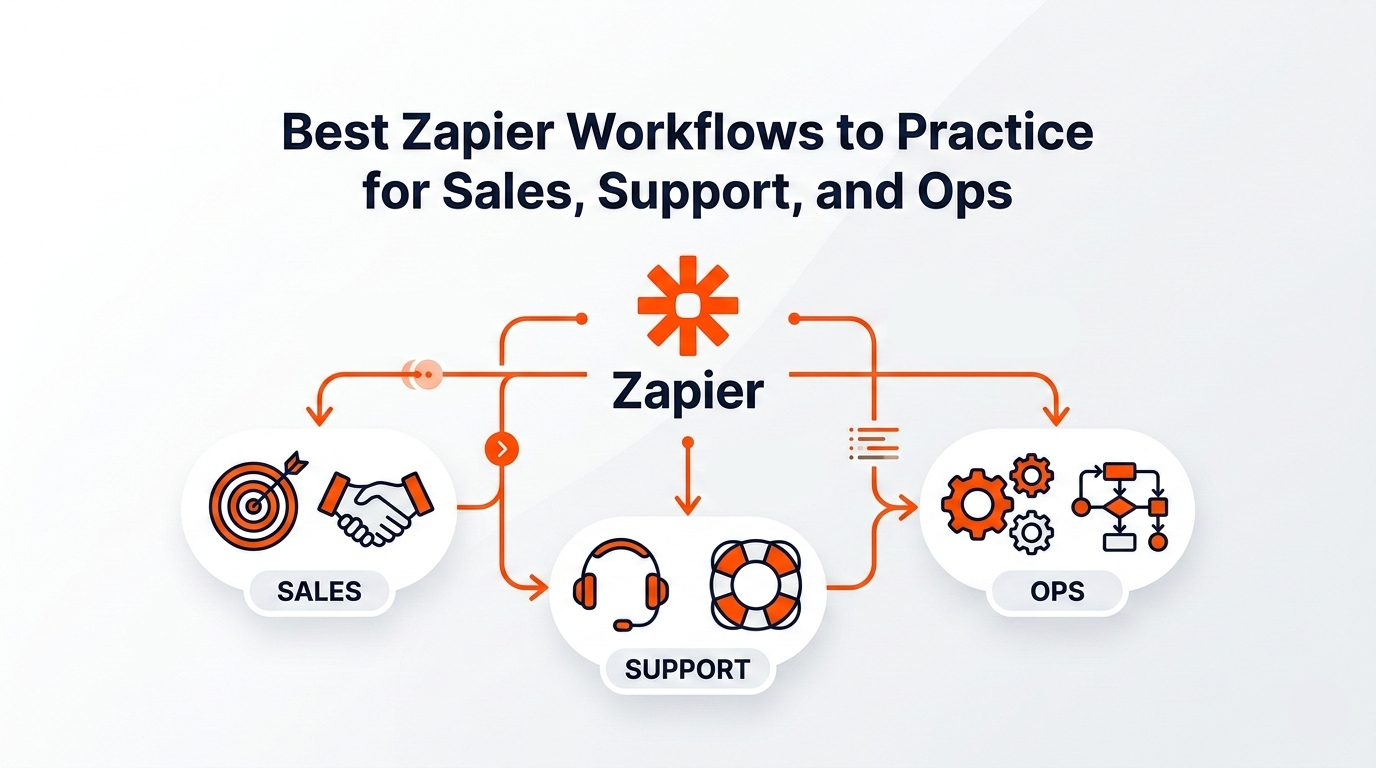
Sales workflows teach lead capture, CRM updates, and follow-up logic. Support workflows teach intake, routing, context-sharing, and resolution processes. Ops workflows teach task creation, assignment, reminders, and centralization.
These categories do not just help you learn Zapier — they help you learn how automation works across a real business.
Best Zapier Workflows to Practice for Sales
Sales is one of the strongest places to begin because the workflows are simple, visible, and high-impact.
These five workflows cover the core sales automation patterns: lead capture, CRM updates, instant alerts, pipeline visibility, and sales recovery.
- New form submission → create lead in CRM — teaches trigger and action logic, field mapping, and reduces manual data entry. One of the most practical beginner workflows.
- New lead in CRM → send Slack alert — teaches team notifications and introduces multi-step design. Speed-to-response is a core sales metric.
- Deal stage changes → update spreadsheet or dashboard — teaches record syncing and gives your team real-time pipeline visibility.
- New meeting booked → create follow-up task — turns a calendar event into action: create task, assign owner, add due date. Connects front-stage activity with back-stage execution.
- Lost deal → collect reason and notify team — teaches condition-based logic and turns automation into a source of learning, not just speed.
Best Zapier Workflows to Practice for Support
Support workflows are ideal because they show how automation improves speed, consistency, and context across the full customer journey.
These five workflows cover intake, routing, context unification, escalation, and cross-functional handoff — the core patterns behind real support automation.
- New support form → create ticket — teaches form-based intake, structured support flows, and eliminates manual copy-paste between tools.
- New chatbot conversation → create ticket or escalation — teaches escalation logic and context handoff from self-service to human support.
- New ticket → notify support channel — simple and fast to build. Teaches event-based notifications and is useful in almost every team setup.
- New ticket → enrich with customer context — pull in plan type, account owner, or previous interactions from another system. Teaches multi-step thinking and improves handoff quality.
- New ticket tagged as bug → notify product or engineering — teaches routing, filters, and how support can become an early warning system for the product team.
Best Zapier Workflows to Practice for Ops
Operations workflows are where beginners start learning system design, not just simple automation.
These five workflows cover task creation, assignment logic, due-date alerts, update centralization, and multi-step process design — the core ops automation patterns.
- New form or booking → create task in project tool — teaches conversion from intake to execution. Works for client onboarding, internal requests, meetings, or project kickoffs.
- New task → assign to the right person based on rules — teaches filters and logic branches. Route tasks by department, request type, or priority so nothing falls through the cracks.
- Task due date approaching → send reminder — teaches time-based notifications. Small workflow, very practical, extremely common in real teams.
- Status changes across tools → centralize updates — teaches centralization. Instead of checking five tools, key updates flow into one shared place: Slack, Notion, or an internal digest.
- New internal request → create record, notify owner, and log in tracker — a multi-step workflow combining task creation, confirmation, notification, and logging. This is where beginners start building actual systems.
The Best Order to Practice These Workflows
Do not start with the hardest one. A better sequence builds your skills in layers.
The goal is not to build the most impressive workflow. It is to understand one pattern deeply before adding another.
- Start with capture workflows — new form → CRM lead, new support form → ticket, new request → task. These teach intake and field mapping.
- Then move to notifications — new lead → Slack alert, new ticket → channel notification, due date → reminder. These teach event-based awareness.
- Then add logic and routing — assign tasks by rules, route bug-tagged tickets to product, enrich tickets with customer context. These teach how automation makes decisions.
- Finally, build multi-step systems — intake → record creation → notification → logging. This is where real confidence starts to build.
How to Choose the Right Workflow to Practice First
The best first workflow is not the most impressive one. It is the one that is easy to test, easy to understand, useful in real life, and connected to a repeated task.
These three are simple, practical, and teach the foundations of almost everything else in Zapier.
- Sales: new form submission → create lead in CRM.
- Support: new form submission → create ticket.
- Ops: new request → create task in project tool.
Common Mistakes When Practicing Zapier Workflows
- Practicing random workflows with no business context — you learn faster when the workflow has a real purpose.
- Starting with too many steps — a five-step automation is not better than a two-step one if you do not understand why it works.
- Ignoring naming and structure — use clear names like "Lead Form → CRM → Slack", not vague ones like "workflow 3".
- Forgetting edge cases — test with missing fields, unusual values, and incorrect formatting.
- Building isolated automations — the real value comes when your workflows support one bigger process.
Final Thoughts
The best Zapier workflows to practice are not the flashiest ones. They are the ones that teach core automation patterns you will use again and again.
Sales workflows teach capture, updates, and follow-up. Support workflows teach intake, routing, and context. Ops workflows teach assignment, reminders, and coordination.
If you can build those well, you are no longer just learning Zapier. You are learning how businesses run on automation.
Start with one workflow in each category. Build it. Test it. Improve it. Then combine them into larger systems. That is how real automation skills are built.
Want a personalized roadmap for learning Zapier with theory, quiz questions, and hands-on workflow practice? Generate your custom plan on Kavka and start learning automation by doing.
Build your personal plan
Ready to practice Zapier?
Get a step-by-step learning route tailored to your level — with quizzes and hands-on tasks, not just theory.